ICT Protege Certification
Certified Protege WXpert (Level 2)
Compulsory Modules
The following modules are compulsory in order to complete this qualification.

Module Objectives
- Describe the Features Available in Advanced Mode
- Describe the Key Benefits of the WX Platform
- Explain Which Items and Features are Licensed Separately
- Explain the Capabilities and Capacities of the WX System
- Understanding WX Web Connectivity
Module Objectives
- Describe the DIN Rail Range of Products and their Features
- Understanding Protege Module Network Communications
- Understanding Protege Module Network Wiring
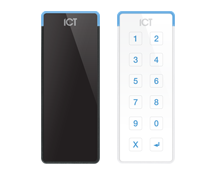
- Understanding Proximity Readers
- Understanding the Protege Keypads
- Describe the Additional Products Compatible with Protege WX
104 Protege Hardware Configuration
Module Objectives
- Understanding the Process to Wire DIN Rail Hardware
- Describe the Function of the LED Indicators

Module Objectives
- Understanding the Process to Configure a Keypad
- Understanding the Process to Connect to a Controller
Module Objectives
- Identifying System Requirements
- Planning the Training System
- Understanding Physical Design

Module Objectives
- Logging in and Using the Wizards to Perform the Initial Configuration
- Describe the Functions Available for Monitoring Your System
- Understanding Schedules and Holidays


Module Objectives
- Understanding Trouble Inputs
- Understanding Contact ID Monitoring
- Understanding IP Monitoring

Optional Modules
In addition to the compulsory modules you need to complete 3 of the following optional modules.

Module Objectives
- Understanding Hardware Requirements for Elevator Control
- Configuring Basic Elevator Control
- Configuring Advanced Elevator Control

205 Advanced Control Programming
Module Objectives
- Output Programming
- Programmable Functions Overview
- Logic Control
- Area Control
- Ripple Output
- Door Control
- Virtual Door
- Input Follows Output
- Elevator Control

Module Objectives
- Understanding the Wiring Requirements for SALLIS Integration
- Programming the SALLIS and Protege WX Integration