|
|
|


The Expanders Wizard
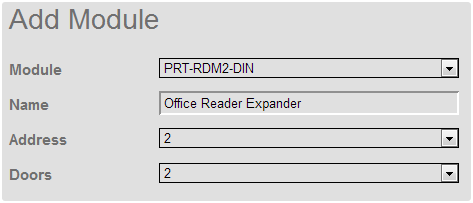
- Choose the module you want to add
- Name the module
- Set the module address
- If the module is a reader expander, select the amount of doors to be configured
- Click OK, then click Save and Return to Menu to finish.
| Ask a Question |
The Expanders Wizard
|
|||
|
|||