|
|
|


Creating a Holiday Group
Navigate to Scheduling | Holiday Groups and click Add
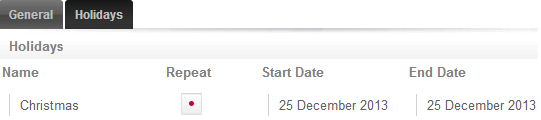
Name the Holiday Group National Holidays then select the Holidays tab to add holidays to the group
- Enter the name Christmas and enable the Repeat option as Christmas occurs on the same day every year.
- Set the start and finish date to December 25th
Click Save. Once you have programmed your holiday group(s), they can be applied to your schedules.
| Ask a Question |