|
|
|


Controlling Areas within WX
Devices can be controlled directly from the status lists within WX:
- Navigate to Monitoring | Areas. Select the Area then click Controls to open the control menu.
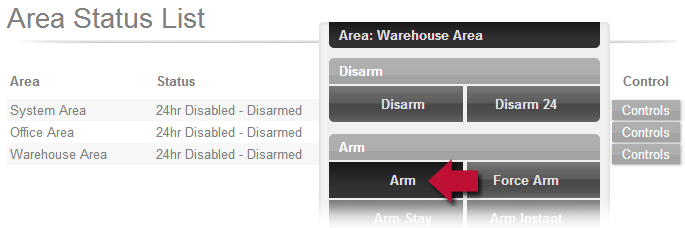
- Select Arm to begin the arming process. The area status should change to Exit Delay and if we've set the Exit Delay Output, we'll hear the keypad beeper start pulsing.
| Ask a Question |