|
|
|


Adding a Door Group
- Navigate to Programming | Door Groups and click Add
- Enter a Name for the door group then select the Doors tab
- Click Add to open the Doors selection window. This display all doors in the system that are not already in the group
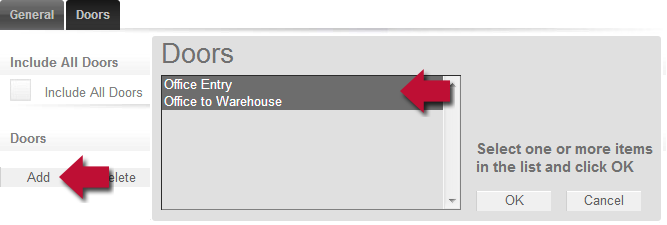
- Select one or more doors then click OK, then click Save
| Ask a Question |