|
|
|


Reader Configuration
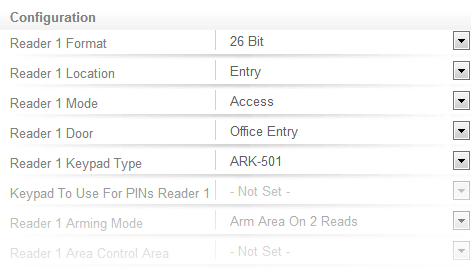
Select the Reader One tab. The Configuration options here define the behavior of the Reader Port 1.
By default, readers are configured for:
- 26 bit reading mode
- As entry readers for access control
- ARK-501 keypad (supports the ICT TSEC and Multi Prox readers)
The Access Control Wizard automatically detects the reader ports and assigns doors with an entry reader location.
Doors 1 and 2 to the Onboard Reader, Doors 3 and 4 to the first Reader Expander, and so on.
| Ask a Question |