|
|
|


Programming the Reader Expander
Card readers are located inside the elevator car and require an associated reader expander to facilitate access control. For every elevator car, you need one reader port.
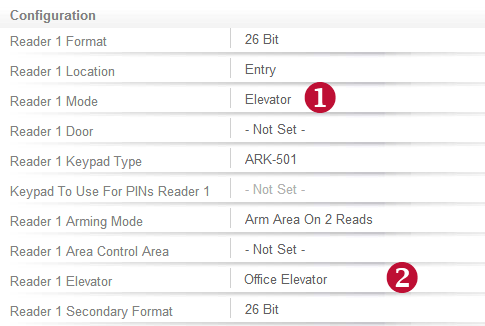
Navigate to Expanders | Reader Expanders, select Office Elevator then click the Reader 1 tab.
- Set the Reader 1 Mode to Elevator
- Set the Reader 1 Elevator to Office Elevator
The Reader 1 Door option should be set to Not Set
| Ask a Question |