|
|
|


Creating Multiple Virtual Outputs
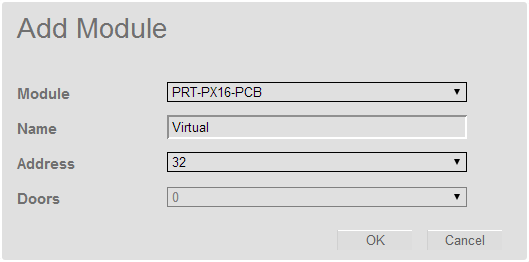
If a number of Virtual Outputs are required, the expander wizard can be used to create them.
- Navigate to Wizards | Expanders Wizard.
- From Step 3 click Add to add an additional module.
- Choose the PX16 if you want 16 outputs to be created, or the PX8 if you want 8 outputs to be created.
- Name the new module Virtual.
- Select an address that is unlikely to be used in the future.
- Click Ok
- Click Save and Return to Menu
| Ask a Question |