|
|
|


Configuring the Lock
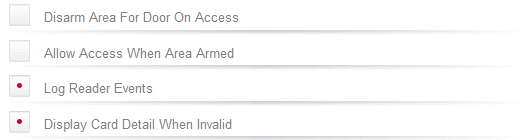
Various options can also be enabled from the Misc Options section.
- When the Disarm Area For Door On Access option is enabled, unlocking the door will disarm the defined Inside Area if the lock is used for Entry and disarm the Outside Area if the lock is used for Exit. When this option is disabled the lock will not perform any disarm functions.
- When the Allow Access When Area Armed option is enabled, a user can gain access through the door even when the inside area is armed. When disabled, a user will be denied access through the door if they do not have permission to disarm the inside area.
- When the Log Reader Events option is enabled, events associated with the lock will be logged.
- When the Display Card Detail When Invalid option is enabled, the card full card data will be displayed when a user attempts to unlock the SALLIS door with an invalid card.
| Ask a Question |