|
|
|


Assigning the IP Address via the WX Interface
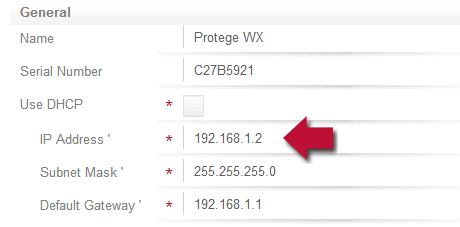
- Connect the Controller to your network and enter the current IP address into your web browser. The default IP address is 192.168.1.2
- A login screen appears. Enter the user name and password
The default user name is admin.
The default password is admin.
- Navigate to System | Settings
- Enter the required settings, and click Save.
- Cycle power to the controller to apply the settings.
This method can only be used if the current IP address is already known. If the default IP address has been changed previously, you will need to use a keypad or set the Controller to use a known address temporarily (as explained on the next slides).
| Ask a Question |