|
|
|


Assigning the IP Address from a Keypad
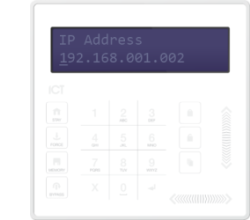
- Connect the keypad to the module network
- Login using the default installer PIN of 000000. If the default code has been overridden and you do not know the new codes, you will need to force the Controller into its default state.
- Press [Menu] [4] [2] [1] to display the current IP address
- Edit the address using the numeric and [LEFT] [RIGHT] keys
- Press the [ARM] key to save your changes
- Press the [ENTER] key to confirm the change
- Go back to the View/Edit IP menu by pressing [ENTER] or [1]. Press the [UP] key to change the subnet mask (if required). By default, the Controller comes with a 24 bit class C subnet mask already set.
- Press the [UP] key again, to display the Gateway address. This should be changed if your server is not on the same subnet, or if you are using an NTP server on another subnet ,and should be set to the IP address of your network's router.
Once finished, you must restart the Controller for the changes to take effect.
| Ask a Question |