|
|
|


Qualify Output
If required, select the Options tab to set the Qualify Output. This allows you to qualify the schedule based on the state of an output.
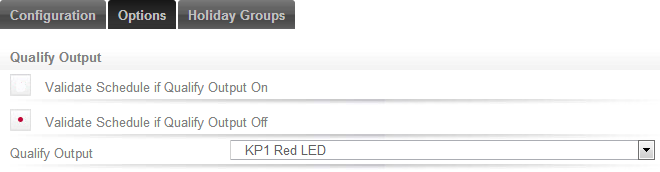
In this example, this schedule will only ever become valid if all the other conditions of the schedule are met, and the KP1 Red LED output is off.
Consider a schedule that has been programmed to unlock the front door of a retail shop. By configuring the above, the front door would unlock at opening time only if the alarm has been unset. If nobody shows up for work, the door doesn't unlock.
| Ask a Question |