|
|
|


Setting Menu Group Options
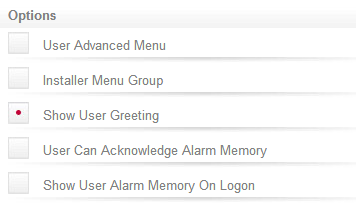
Click the Options tab and select (enable) the Show User Greeting option. By selecting only the Show User Greeting option, a general staff member will not be given access to additional menus from a keypad.
- User Advanced Menu: When enabled, the current menu group will be acknowledged as a user advanced menu.
- Installer Menu Group: When enabled, the current menu group will be acknowledged as an installer menu group.
- The following options are OR, meaning the menu group or the individual user has this setting.
- Show User Greeting: When enabled, the menu group will display the time of day greeting to the user once they have entered their user code.
- User Can Acknowledge Alarm Memory: When enabled, the user will be able to acknowledge alarm memory that is displayed when they first login.
- Show User Alarm Memory On Logon: When enabled, the user will be shown any alarms that are in the memory when they log in to the keypad.
| Ask a Question |