|
|
|


Creating a new Door Type
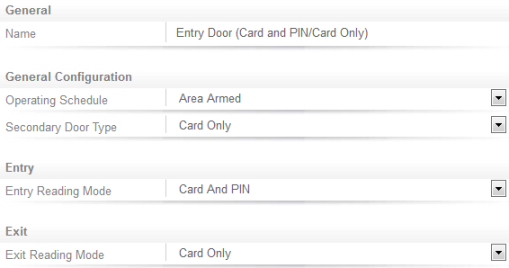
With the schedule configured, we can move on to create the new door type.
- Navigate to Programming | Door Types.
- Name the door type Entry Door (Card and PIN/Card Only).
- Set the Operating Schedule to Area Armed.
- Set the Secondary Door Type to Card Only.
- Set the Entry Mode to Card and PIN.
- Click Save.
| Ask a Question |