|
|
|


Setting up Double Badge Arming
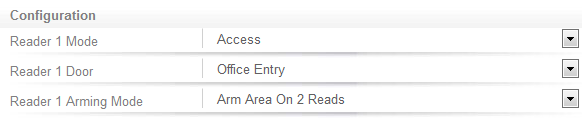
To enable double badge arming:
- Navigate to Expanders | Reader Expanders and from the Reader tab (for the port that the reader is wired to), set the Reader Door to the record associated with the new door type.
- Set the Reader Arming Mode to Arm Area On 2 Reads
- Click Save.
| Ask a Question |