Adding a Menu Group
- Navigate to Programming | Menu Groups and click Add
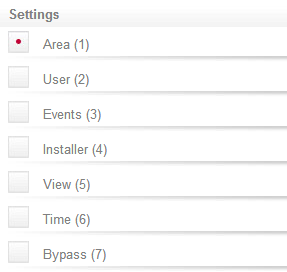
- Select (enable) the settings for the menus required:
- Area (1): When enabled, the menu group will allow the user to access the Area menu.
- User (2): When enabled, the menu group will allow the user to access the User menu.
- Events (3): When enabled, the menu group will allow the user to access the Events menu.
- Installer (4): When enabled, the menu group will allow the user to access the Installer menu.
- View (5): When enabled, the menu group will allow the user to access the View menu.
- Time (6): When enabled, the menu group will allow the user to access the Time menu.
- Bypass (7): When enabled, the menu group will allow the user to access the Bypass menu.
|

